
Ticker Wheel
Add your items, customize the wheel, and pick a winner.
Add at least 2 items to spin.
About Ticker Wheel
Ticker Wheel is a stylish spin the wheel randomizer built to help you make a fast, fair, and fun decision. Add items, spin the wheel, and let the random choice reveal itself with beautiful animation, sound, and confetti.
This random wheel spinner is perfect for raffles, classroom participation, giveaways, teams, contests, and everyday decisions. The wheel uses a fair selection algorithm with optional weights to keep every spin transparent and trustworthy.
Ticker Wheel Tutorial
Ticker Wheel is a fast, modern spin the wheel tool for choosing a random name, prize, or option. It helps you make a random decision with a fair, balanced algorithm and a beautiful wheel spinner.
1. What is Ticker Wheel?
A premium random decision wheel that displays your inputs on a colorful spinner. If you are stuck deciding, the wheel makes the small decision for you. It is used for raffles, classroom games, remote events, and contests.
2. How to use this spinner
2.1 Insert inputs
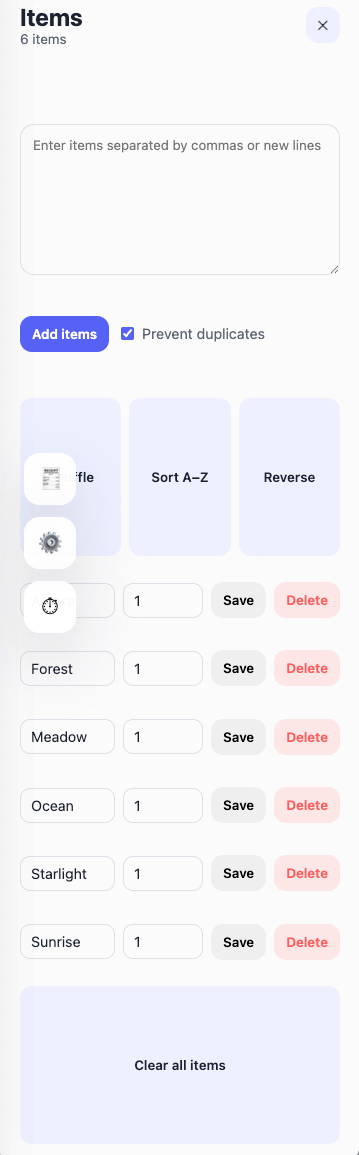
Add text inputs one-by-one or paste multiple lines at once. You can add optional weights and edit entries inline. Each entry appears on the wheel immediately so you can see your randomizer update in real time.
Tip: Use commas or new lines to add a full list quickly. Enable weights when you need a weighted random picker.
2.2 Spin the wheel & get result
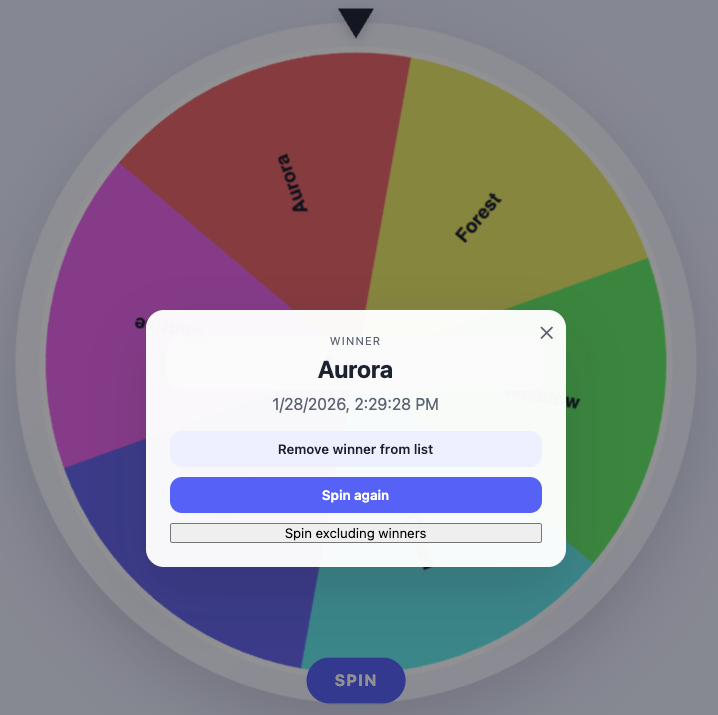
Click the SPIN button to start the animation. The pointer stops on the selected item, and the winner appears on the wheel, in the modal, and in your history.
2.3 Input actions
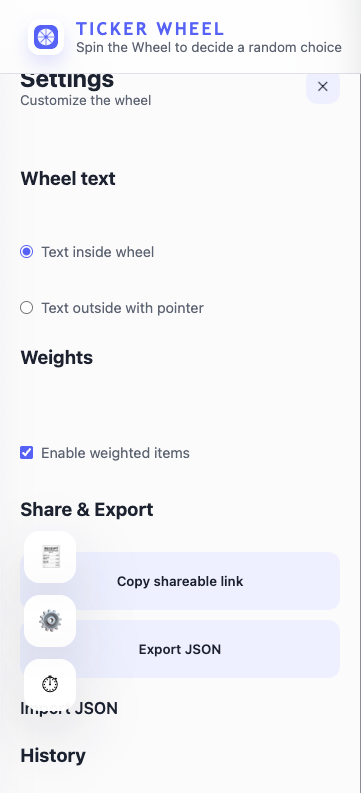
Shuffle, sort, reverse, and edit items at any time. Toggle duplicate prevention, enable weighted inputs, and download or import items as JSON. Use the share link to recreate the same wheel state for anyone.
3. Wheel customization
Customize the wheel with text placement, weights, sound, volume, and spin duration. Use dark mode for a premium viewing experience.
4. File storage & persistence
Your wheel is automatically saved in local storage. Items, settings and previous winners are restored on reload for a seamless workflow.
5. Share wheel & results
Generate a shareable link that encodes your items and winner. Anyone opening the link sees the same wheel and result.
6. Create new wheel and switch wheel
Start fresh anytime by clearing items or importing a new list. Keep multiple variations by exporting and re-importing lists as JSON.
7. Modify title section
Use the header and About section to describe your random picker wheel. Clear titles help participants understand the purpose of the spin.
8. Enable weight, label, or color
Weights change the size of each wheel segment for a weighted random selection. Text placement can be inside or outside for readability.
9. View all results or scores
The history panel tracks recent winners with timestamps. Remove winners or exclude them from future spins for elimination flows.
10. Share results
Share a single winner or a complete results history with your team.
11. Fullscreen view
Use fullscreen mode to maximize the wheel for group activities, classroom presentations, and live events.
12. Types of action modes
Use the normal mode for a simple random result or exclude previous winners for elimination mode, ideal for raffles and classroom picks.
15. Save as an app
Add the wheel to your home screen for a dedicated decision tool on desktop or mobile.
16. Visual Guide
Explore the visual guide below for a quick understanding of the item list, settings panel, and winner modal. These screenshots show the core flow from setup to spin results.
17. Frequently asked questions
Is the result truly random and fair?
Yes. Each spin uses a uniform random selection that respects weights when enabled, ensuring transparent and fair outcomes.
Can I prevent the same winner from appearing again?
Use “Spin excluding winners” to remove previous winners from the next selection.
How do I save or share my wheel?
The wheel auto-saves in your browser and you can generate a shareable link that recreates the same wheel state.
Does Ticker Wheel work offline?
Yes. Your data is stored locally, so you can spin the wheel even without an internet connection once loaded.
Contact
Have feedback or need support? Reach us at contact@tickerwheel.com.


